使用 Firestore 新增多人遊戲支援
多人遊戲需要一種方法來同步玩家之間的遊戲狀態。廣義上講,存在兩種型別的多人遊戲:
高重新整理率。這些遊戲需要每秒同步多次遊戲狀態,且延遲低。這包括動作遊戲、體育遊戲、格鬥遊戲。
低重新整理率。這些遊戲只需要偶爾同步遊戲狀態,延遲影響較小。這包括紙牌遊戲、策略遊戲、益智遊戲。
這類似於即時遊戲與回合制遊戲之間的區別,儘管這個類比並不完全恰當。例如,即時策略遊戲——顧名思義——是即時執行的,但這並不意味著高重新整理率。這些遊戲可以在玩家互動之間在本地機器上模擬大部分發生的事情。因此,它們不需要經常同步遊戲狀態。
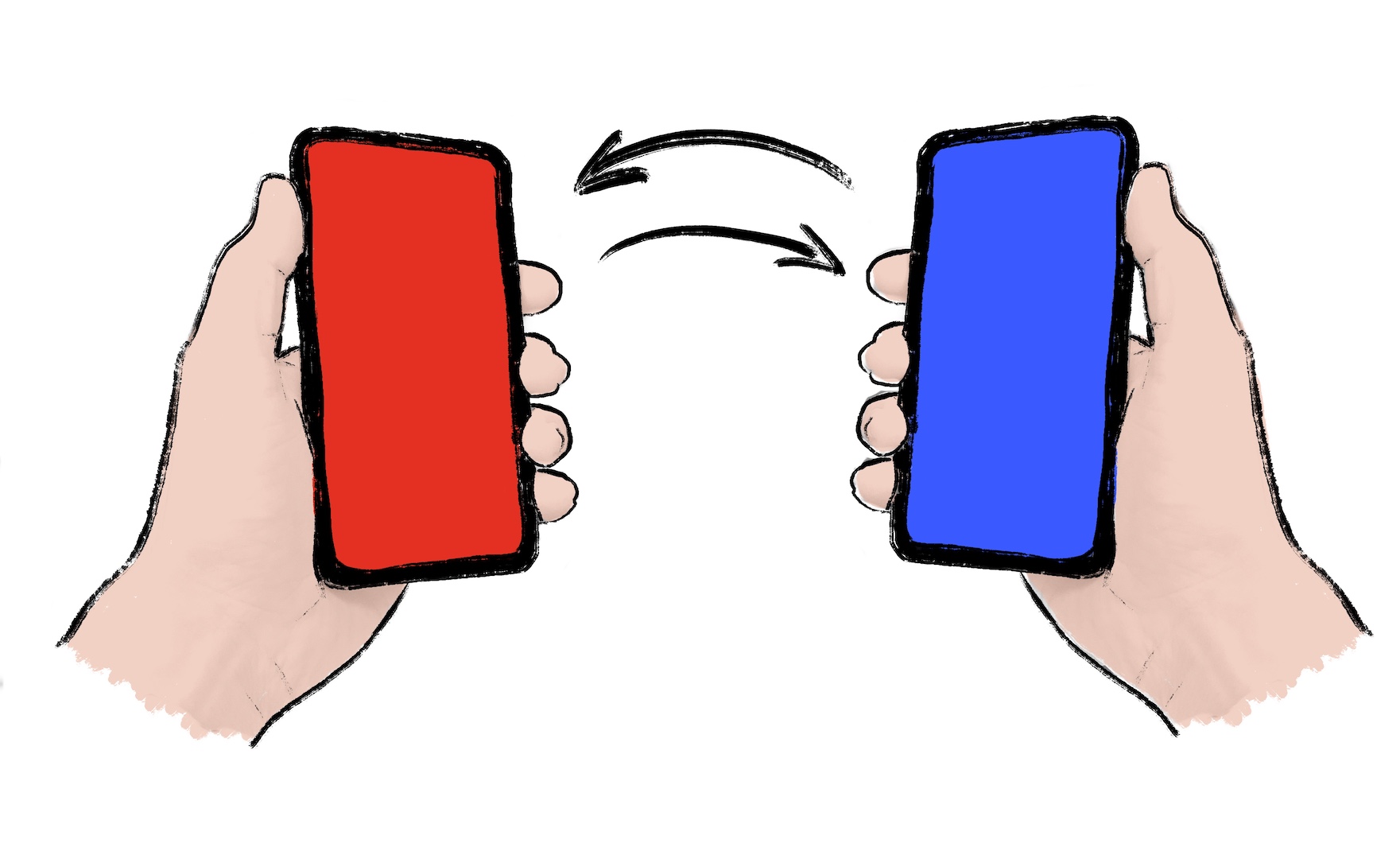
如果你作為開發者可以選擇低重新整理率,你應該這樣做。低重新整理率可以降低延遲要求和伺服器成本。有時,遊戲需要高重新整理率的同步。對於這些情況,Firestore 等解決方案**不太適合**。選擇專用的多人伺服器解決方案,例如 Nakama。Nakama 有一個 Dart 包。
如果你預計你的遊戲需要低重新整理率的同步,請繼續閱讀。
本教程演示如何使用 cloud_firestore 包 在你的遊戲中實現多人遊戲功能。本教程不需要伺服器。它使用兩個或更多客戶端透過 Cloud Firestore 共享遊戲狀態。
1. 為多人遊戲準備你的遊戲
#編寫你的遊戲程式碼,使其能夠響應本地事件和遠端事件來更改遊戲狀態。本地事件可以是玩家動作或某些遊戲邏輯。遠端事件可以是來自伺服器的世界更新。
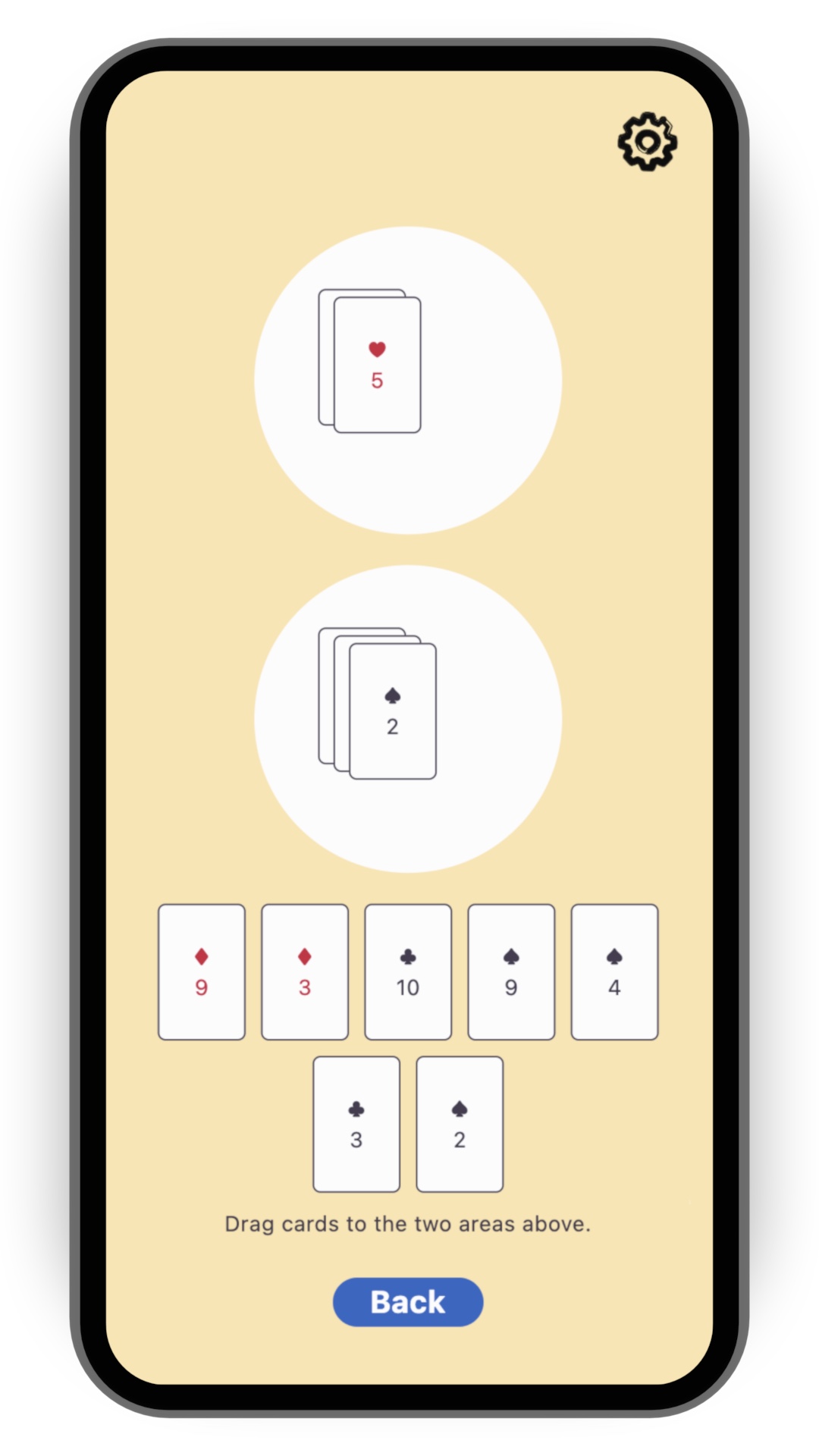
為了簡化本食譜,請從 flutter/games 倉庫 中的 card 模板開始。執行以下命令克隆該倉庫:
git clone https://github.com/flutter/games.git開啟 templates/card 中的專案。
2. 安裝 Firestore
#Cloud Firestore 是一個可水平擴充套件的雲端 NoSQL 文件資料庫。它包含內建的即時同步功能。這非常適合我們的需求。它使遊戲狀態在雲資料庫中保持更新,因此每個玩家都能看到相同的狀態。
如果你想快速瞭解 Cloud Firestore 的 15 分鐘入門知識,請檢視以下影片:
要將 Firestore 新增到你的 Flutter 專案中,請按照 Cloud Firestore 入門 指南的前兩個步驟操作:
預期結果包括:
- 一個已在雲端準備就緒的 Firestore 資料庫,處於**測試模式**
- 一個生成的
firebase_options.dart檔案 - 已將適當的外掛新增到你的
pubspec.yaml
你**無需**在此步驟中編寫任何 Dart 程式碼。一旦你理解了該指南中編寫 Dart 程式碼的步驟,請返回本教程。
3. 初始化 Firestore
#開啟
lib/main.dart並匯入外掛,以及上一步中由flutterfire configure生成的firebase_options.dart檔案。dartimport 'package:cloud_firestore/cloud_firestore.dart'; import 'package:firebase_core/firebase_core.dart'; import 'firebase_options.dart';在
lib/main.dart中,在呼叫runApp()的正上方新增以下程式碼:dartWidgetsFlutterBinding.ensureInitialized(); await Firebase.initializeApp(options: DefaultFirebaseOptions.currentPlatform);這確保了 Firebase 在遊戲啟動時被初始化。
將 Firestore 例項新增到應用程式。這樣,任何小部件都可以訪問此例項。如果需要,小部件也可以對例項的缺失做出反應。
要使用
card模板執行此操作,你可以使用provider包(它已作為依賴項安裝)。將樣板程式碼
runApp(MyApp())替換為以下內容:dartrunApp(Provider.value(value: FirebaseFirestore.instance, child: MyApp()));將 provider 放在
MyApp外部,而不是內部。這使你可以在沒有 Firebase 的情況下測試應用程式。
4. 建立一個 Firestore 控制器類
#雖然你可以直接與 Firestore 通訊,但你應該編寫一個專用的控制器類,使程式碼更具可讀性和可維護性。
控制器的實現方式取決於你的遊戲和多人遊戲體驗的具體設計。對於 card 模板的情況,你可以同步兩個圓形遊戲區域的內容。這不足以提供完整的多人遊戲體驗,但這是一個很好的開始。
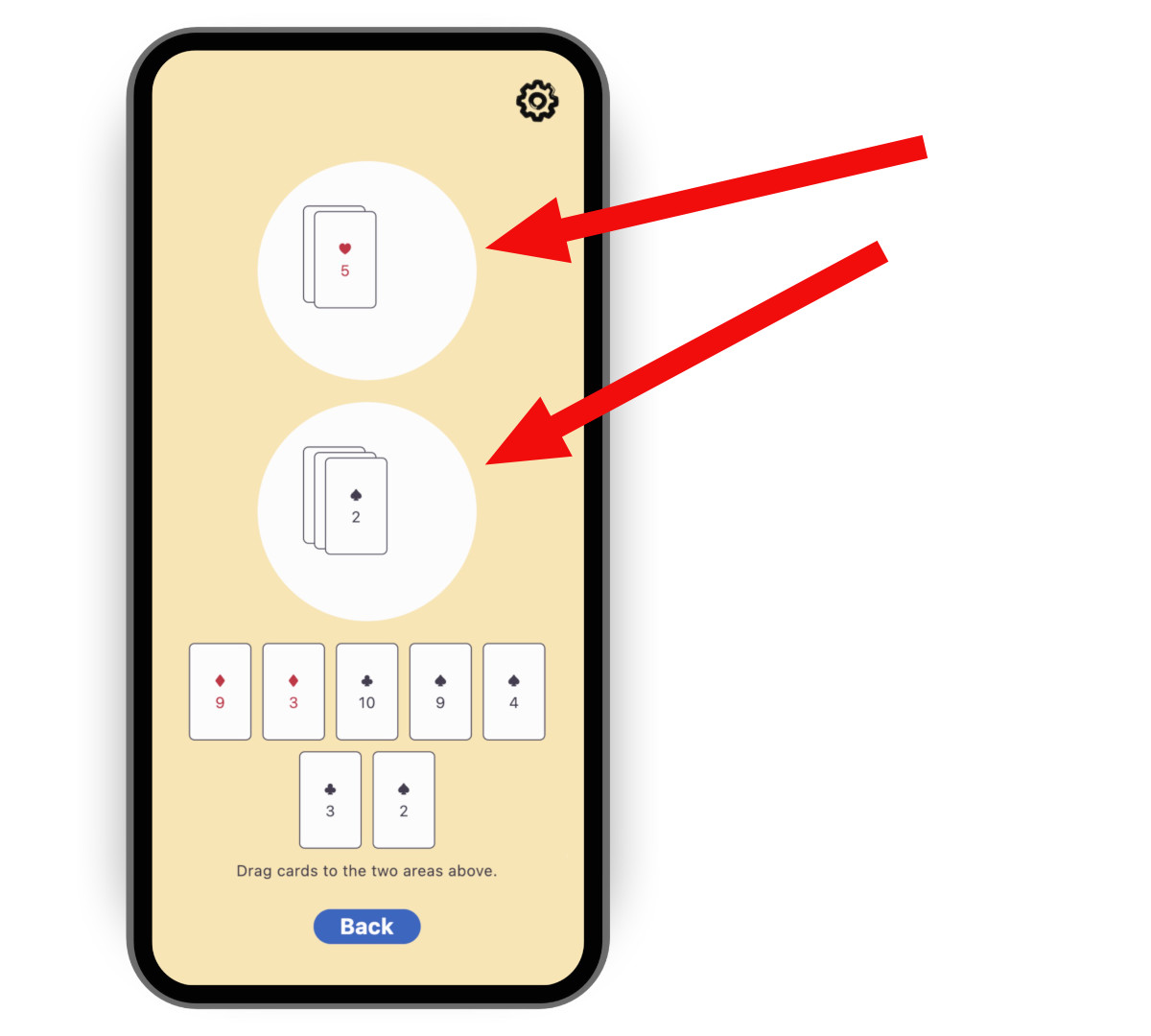
要建立控制器,請複製以下程式碼,然後將其貼上到一個名為 lib/multiplayer/firestore_controller.dart 的新檔案中。
import 'dart:async';

import 'package:cloud_firestore/cloud_firestore.dart';
import 'package:flutter/foundation.dart';
import 'package:logging/logging.dart';

import '../game_internals/board_state.dart';
import '../game_internals/playing_area.dart';
import '../game_internals/playing_card.dart';

class FirestoreController {
  static final _log = Logger('FirestoreController');

  final FirebaseFirestore instance;

  final BoardState boardState;

  /// For now, there is only one match. But in order to be ready
  /// for match-making, put it in a Firestore collection called matches.
  late final _matchRef = instance.collection('matches').doc('match_1');

  late final _areaOneRef = _matchRef
      .collection('areas')
      .doc('area_one')
      .withConverter<List<PlayingCard>>(
        fromFirestore: _cardsFromFirestore,
        toFirestore: _cardsToFirestore,
      );

  late final _areaTwoRef = _matchRef
      .collection('areas')
      .doc('area_two')
      .withConverter<List<PlayingCard>>(
        fromFirestore: _cardsFromFirestore,
        toFirestore: _cardsToFirestore,
      );

  late final StreamSubscription<void> _areaOneFirestoreSubscription;
  late final StreamSubscription<void> _areaTwoFirestoreSubscription;

  late final StreamSubscription<void> _areaOneLocalSubscription;
  late final StreamSubscription<void> _areaTwoLocalSubscription;

  FirestoreController({required this.instance, required this.boardState}) {
    // Subscribe to the remote changes (from Firestore).
    _areaOneFirestoreSubscription = _areaOneRef.snapshots().listen((snapshot) {
      _updateLocalFromFirestore(boardState.areaOne, snapshot);
    });
    _areaTwoFirestoreSubscription = _areaTwoRef.snapshots().listen((snapshot) {
      _updateLocalFromFirestore(boardState.areaTwo, snapshot);
    });

    // Subscribe to the local changes in game state.
    _areaOneLocalSubscription = boardState.areaOne.playerChanges.listen((_) {
      _updateFirestoreFromLocalAreaOne();
    });
    _areaTwoLocalSubscription = boardState.areaTwo.playerChanges.listen((_) {
      _updateFirestoreFromLocalAreaTwo();
    });

    _log.fine('Initialized');
  }

  void dispose() {
    _areaOneFirestoreSubscription.cancel();
    _areaTwoFirestoreSubscription.cancel();
    _areaOneLocalSubscription.cancel();
    _areaTwoLocalSubscription.cancel();

    _log.fine('Disposed');
  }

  /// Takes the raw JSON snapshot coming from Firestore and attempts to
  /// convert it into a list of [PlayingCard]s.
  List<PlayingCard> _cardsFromFirestore(
    DocumentSnapshot<Map<String, Object?>> snapshot,
    SnapshotOptions? options,
  ) {
    final data = snapshot.data()?['cards'] as List<Object?>?;

    if (data == null) {
      _log.info('No data found on Firestore, returning empty list');
      return [];
    }

    try {
      return data
          .cast<Map<String, Object?>>()
          .map(PlayingCard.fromJson)
          .toList();
    } catch (e) {
      throw FirebaseControllerException(
        'Failed to parse data from Firestore: $e',
      );
    }
  }

  /// Takes a list of [PlayingCard]s and converts it into a JSON object
  /// that can be saved into Firestore.
  Map<String, Object?> _cardsToFirestore(
    List<PlayingCard> cards,
    SetOptions? options,
  ) {
    return {'cards': cards.map((c) => c.toJson()).toList()};
  }

  /// Updates Firestore with the local state of [area].
  Future<void> _updateFirestoreFromLocal(
    PlayingArea area,
    DocumentReference<List<PlayingCard>> ref,
  ) async {
    try {
      _log.fine('Updating Firestore with local data (${area.cards}) ...');
      await ref.set(area.cards);
      _log.fine('... done updating.');
    } catch (e) {
      throw FirebaseControllerException(
        'Failed to update Firestore with local data (${area.cards}): $e',
      );
    }
  }

  /// Sends the local state of `boardState.areaOne` to Firestore.
  void _updateFirestoreFromLocalAreaOne() {
    _updateFirestoreFromLocal(boardState.areaOne, _areaOneRef);
  }

  /// Sends the local state of `boardState.areaTwo` to Firestore.
  void _updateFirestoreFromLocalAreaTwo() {
    _updateFirestoreFromLocal(boardState.areaTwo, _areaTwoRef);
  }

  /// Updates the local state of [area] with the data from Firestore.
  void _updateLocalFromFirestore(
    PlayingArea area,
    DocumentSnapshot<List<PlayingCard>> snapshot,
  ) {
    _log.fine('Received new data from Firestore (${snapshot.data()})');

    final cards = snapshot.data() ?? [];

    if (listEquals(cards, area.cards)) {
      _log.fine('No change');
    } else {
      _log.fine('Updating local data with Firestore data ($cards)');
      area.replaceWith(cards);
    }
  }
}

class FirebaseControllerException implements Exception {
  final String message;

  FirebaseControllerException(this.message);

  @override
  String toString() => 'FirebaseControllerException: $message';
}
請注意此程式碼的以下特點:
控制器的建構函式接受一個
BoardState。這使得控制器能夠操作遊戲本地狀態。控制器訂閱本地更改以更新 Firestore,並訂閱遠端更改以更新本地狀態和 UI。
欄位
_areaOneRef和_areaTwoRef是 Firebase 文件引用。它們描述了每個區域的資料駐留位置,以及如何在本地 Dart 物件 (List) 和遠端 JSON 物件 (Map) 之間進行轉換。Firestore API 允許我們使用.snapshots()訂閱這些引用,並使用.set()寫入它們。
5. 使用 Firestore 控制器
#開啟負責啟動遊戲會話的檔案:對於
card模板,是lib/play_session/play_session_screen.dart。你將從該檔案例項化 Firestore 控制器。匯入 Firebase 和控制器
dartimport 'package:cloud_firestore/cloud_firestore.dart'; import '../multiplayer/firestore_controller.dart';在
_PlaySessionScreenState類中新增一個可空欄位以包含控制器例項dartFirestoreController? _firestoreController;在同一個類的
initState()方法中,新增嘗試讀取 FirebaseFirestore 例項的程式碼,如果成功,則構造控制器。你已在“初始化 Firestore”步驟中將FirebaseFirestore例項新增到main.dart。dartfinal firestore = context.read<FirebaseFirestore?>(); if (firestore == null) { _log.warning( "Firestore instance wasn't provided. " 'Running without _firestoreController.', ); } else { _firestoreController = FirestoreController( instance: firestore, boardState: _boardState, ); }使用同一個類的
dispose()方法處理控制器。dart_firestoreController?.dispose();
6. 測試遊戲
#在兩個獨立的裝置上或在同一裝置的兩個不同視窗中運行遊戲。
觀察在一個裝置上向某個區域新增卡片後,它如何出現在另一個裝置上。
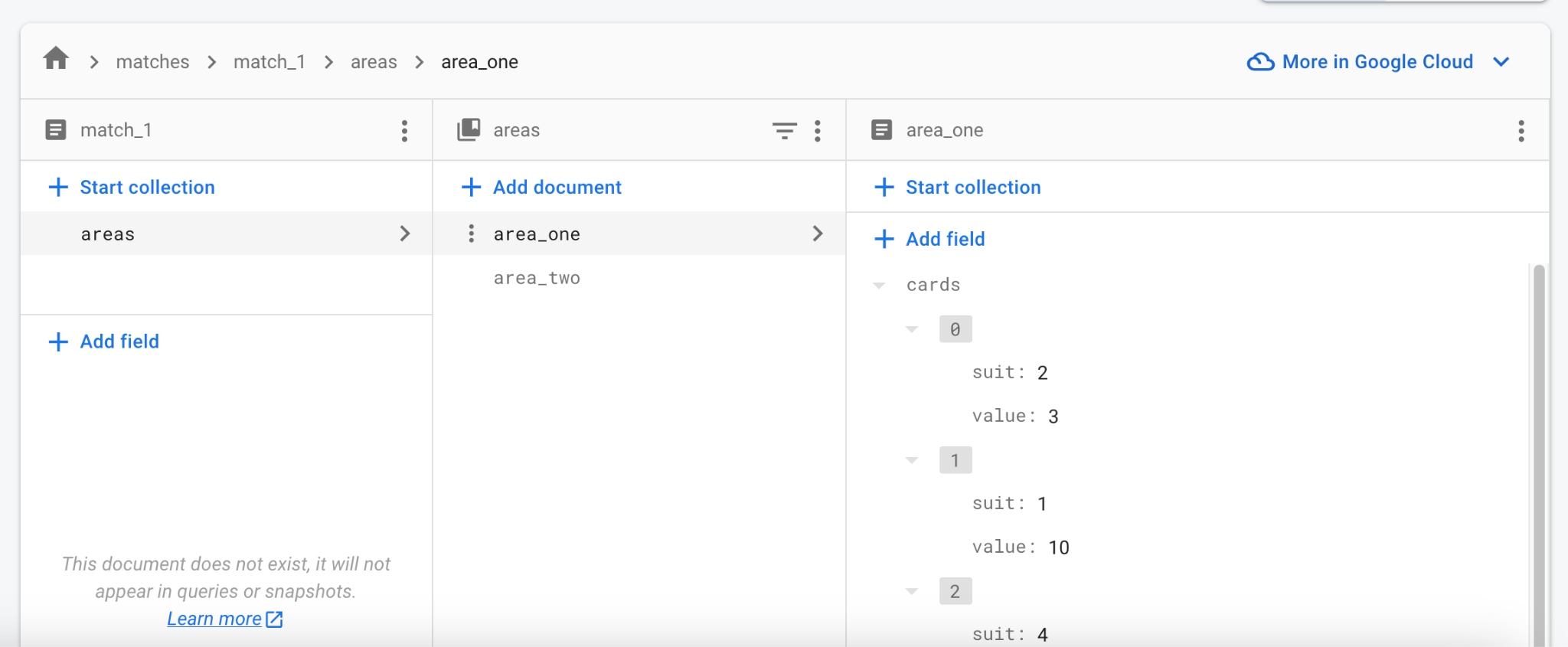
開啟 Firebase Web 控制檯並導航到你的專案的 Firestore 資料庫。
觀察它是如何即時更新資料的。你甚至可以在控制檯中編輯資料,並看到所有正在執行的客戶端都在更新。
故障排除
#測試 Firebase 整合時最常見的問題包括:
嘗試訪問 Firebase 時遊戲崩潰。
- Firebase 整合未正確設定。請重新訪問**步驟 2**,並確保在該步驟中運行了
flutterfire configure。
- Firebase 整合未正確設定。請重新訪問**步驟 2**,並確保在該步驟中運行了
遊戲無法在 macOS 上與 Firebase 通訊。
- 預設情況下,macOS 應用程式沒有網際網路訪問許可權。首先啟用網際網路授權。
7. 後續步驟
#至此,遊戲已實現客戶端之間近乎即時且可靠的狀態同步。它缺乏實際的遊戲規則:何時可以打出哪些牌,以及結果如何。這取決於遊戲本身,留給你嘗試。
此時,比賽的共享狀態只包括兩個遊戲區域及其中的牌。你也可以將其他資料儲存到 _matchRef 中,例如玩家是誰以及輪到誰。如果你不確定從何開始,請按照一兩個 Firestore codelab 來熟悉 API。
起初,單個匹配足以與同事和朋友測試你的多人遊戲。隨著釋出日期的臨近,請考慮身份驗證和匹配。值得慶幸的是,Firebase 提供了一種內建的使用者身份驗證方式,並且 Firestore 資料庫結構可以處理多個匹配。你可以用所需數量的記錄填充匹配集合,而不是單個 match_1。
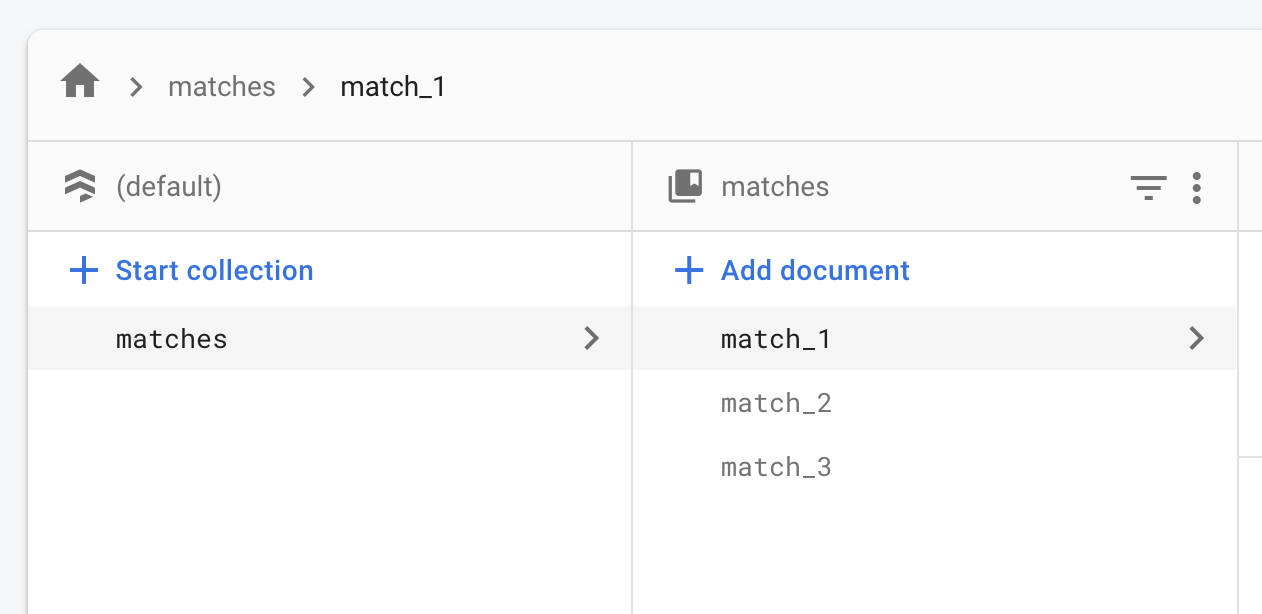
線上匹配可以從“等待”狀態開始,只有第一個玩家在場。其他玩家可以在某種大廳中看到“等待”匹配。一旦有足夠多的玩家加入匹配,它就會變為“活動”狀態。同樣,具體實現取決於你想要的線上體驗。基本原理保持不變:一個大型文件集合,每個文件代表一個活動或潛在的匹配。