除錯 Web 應用效能
Flutter 框架在構建幀、繪製場景以及跟蹤垃圾回收等其他活動時會發出時間線事件。這些事件會暴露在 Chrome DevTools 效能面板中供除錯。
您還可以使用 dart:developer 中的 Timeline 和 TimelineTask API 發出自己的時間線事件,以進行進一步的效能分析。
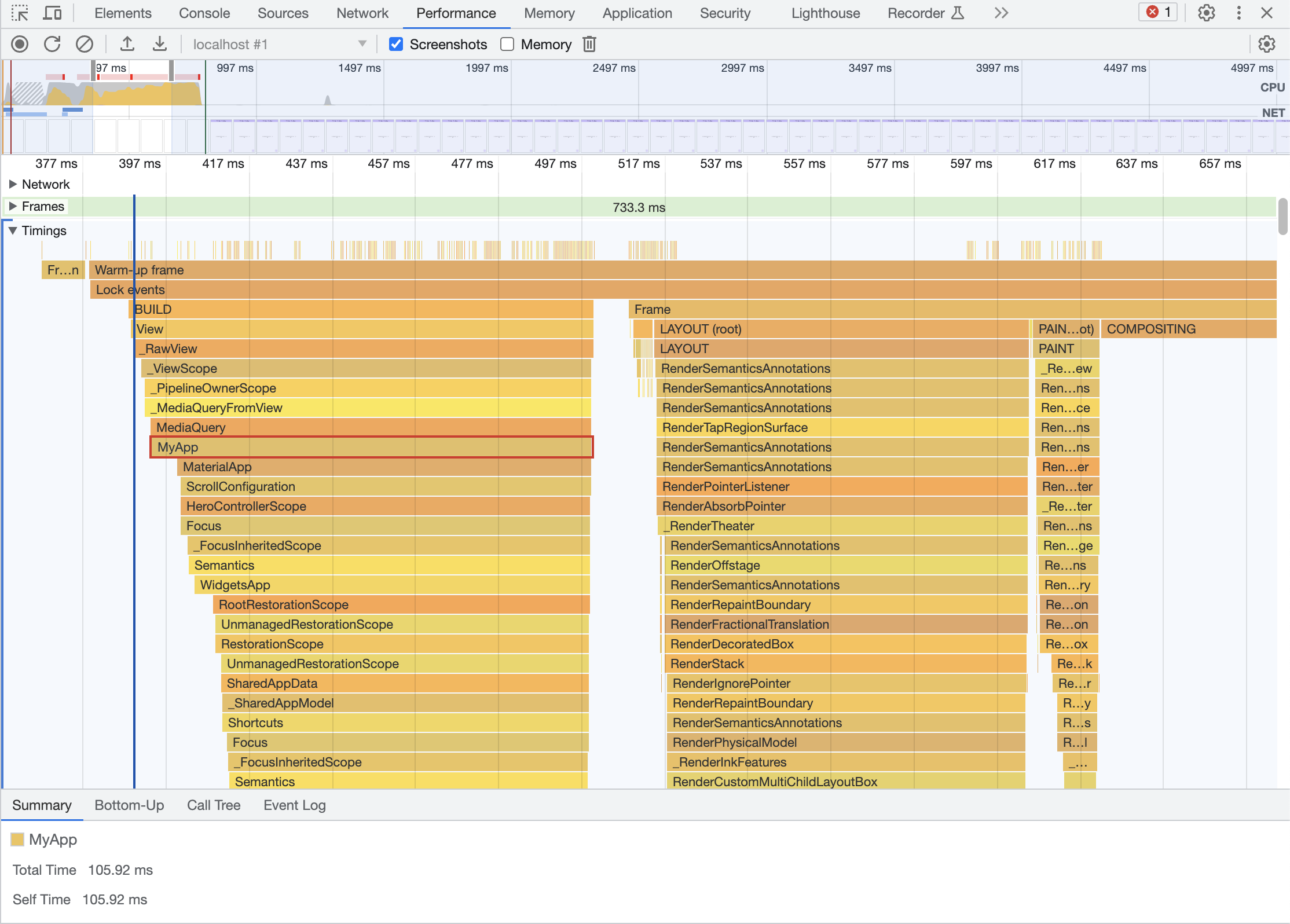
可選的增強跟蹤的標誌
#要配置要跟蹤的時間線事件,請在應用的 main 方法中將以下任何頂級屬性設定為 true。
- debugProfileBuildsEnabled:為每個構建的
Widget新增Timeline事件。 - debugProfileBuildsEnabledUserWidgets:為每個使用者建立的
Widget構建新增Timeline事件。 - debugProfileLayoutsEnabled:為每個
RenderObject佈局新增Timeline事件。 - debugProfilePaintsEnabled:為每個繪製的
RenderObject新增Timeline事件。
說明
#- [可選] 在應用的 main 方法中將任何所需的跟蹤標誌設定為 true。
- 在 profile 模式下執行您的 Flutter Web 應用。
- 開啟您應用的 Chrome DevTools 效能面板,並 開始錄製以捕獲時間線事件。